


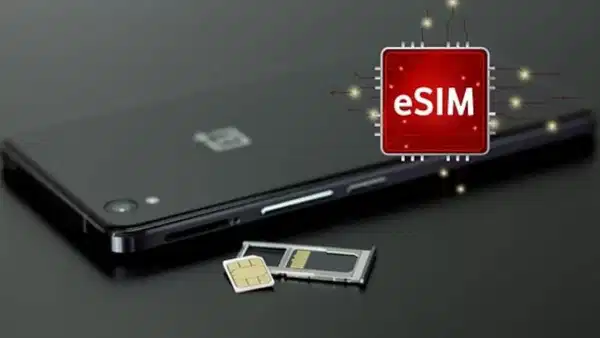
How to set up eSIM abroad? Step-by-step guide for iPhone and Android
Translated from Turkish, summarized and contextualized by DistantNews.
At a glance
Explainer
Sources not specified
Context piece
- eSIM technology allows travelers to use mobile internet abroad without physical SIM cards, avoiding high roaming charges.
- Users can purchase eSIM packages for specific countries and install them via QR code or app, with setup varying by device and carrier.
- Key advantages include not needing to swap SIM cards, maintaining a primary number, and using multiple data packages for different destinations.
Traveling abroad often means navigating the complexities of mobile connectivity, with high roaming charges being a primary concern. eSIM technology offers a solution, allowing users to access mobile internet in foreign countries without the need to physically swap SIM cards. This digital SIM technology, embedded in the device, enables users to easily add a new line or data plan, often through a simple QR code scan or an app.
The advantages of using eSIM for international travel are significant. It eliminates the hassle of finding and purchasing a physical SIM card upon arrival at an airport or in a new city. Travelers can maintain their primary phone number while adding a secondary line for local data, ensuring they remain reachable on their usual number. Furthermore, eSIMs facilitate the use of multiple data packages, allowing users to switch between plans tailored for different countries or durations of their trip.
Acquiring an eSIM for international use typically involves selecting a package compatible with the destination country. Users must first confirm their device supports eSIM technology. Then, they choose an eSIM provider, select a data plan and usage period, and complete the purchase. Following this, they receive a QR code or activation details to install the eSIM profile on their phone.
For iPhone users, the installation process involves navigating to Settings, selecting Cellular or Mobile Data, tapping 'Add eSIM,' and scanning the provided QR code. Android users generally follow a similar path through Settings, Connections, or Network & Internet, then choosing 'SIM manager' or 'Add eSIM' and scanning the QR code to load the profile.
When using eSIM abroad, several points require attention. It's crucial that the phone is not locked to a specific carrier. Users must ensure they select the correct country for their eSIM package and utilize a Wi-Fi connection during the setup process for a smoother installation. Checking data roaming settings and configuring them to prevent the primary SIM from incurring international charges is also essential.
DistantNews Editorial
Originally published by Cumhuriyet in Turkish. Translated, summarized, and contextualized by our editorial team with added local perspective. Read our editorial standards.
More Stories

From Our Blog

What Gets Lost (and Found) When News Is Translated

The Critical Role of Diaspora Media in Global News

What Travellers Should Know About Countries with Restricted Press

A Digital Nomad's Guide to Following Local News

How the Same Story Looks Different in Different Countries
