


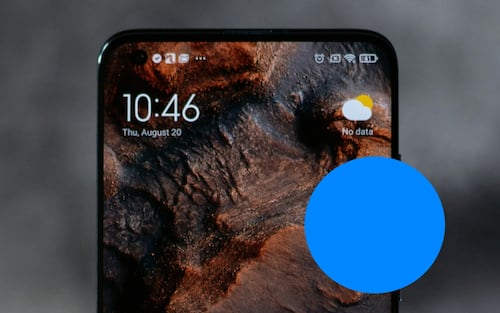
What the blue dot on your cell phone screen means
Translated from Spanish, summarized and contextualized by DistantNews.
At a glance
Explainer
Sources not specified
Context piece
- A small blue dot appearing on Android phones indicates that an app is using the device's location.
- This privacy feature, part of Android's mechanisms, makes app permission usage more visible.
- Users can check which apps have location access in their phone's privacy settings.
A small blue dot appearing on your Android phone's screen is not a glitch or a new notification, but rather a privacy indicator. This feature alerts you when an application is accessing your device's location. It is part of Android's ongoing efforts to enhance transparency regarding how apps utilize sensitive permissions. The indicator makes it easier for users to identify when an app is accessing information that could reveal personal data.
Initially appearing on some Pixel devices, the blue dot has gradually rolled out to more Android phones from various manufacturers. When visible in the status bar, it signifies that an application is currently using the phone's location services. The dot disappears once the app ceases to access this data. This function is particularly useful for detecting potentially unnoticed location accesses, as apps can be authorized to use location data even when they are not actively open on the screen.
Android already employs other color-coded indicators for sensitive functions: a green dot signals camera usage, and an orange indicator appears when the microphone is active. The blue dot specifically addresses location access. If the blue dot appears when you do not have any apps open that require your location, it is advisable to review your app permissions. You can do this by navigating to 'Settings,' then 'Privacy and Security,' followed by 'Permission Manager,' and finally selecting 'Location.' This section allows you to see which apps have location access and under what conditions they can use it, with options to allow access only while using the app, request permission each time, or block it entirely, depending on your Android version and device manufacturer.
DistantNews Editorial
Originally published by El Universal in Spanish. Translated, summarized, and contextualized by our editorial team with added local perspective. Read our editorial standards.
More Stories
From Our Blog

What Press Freedom Means for the News You Read

What Gets Lost (and Found) When News Is Translated

The Critical Role of Diaspora Media in Global News

What Travellers Should Know About Countries with Restricted Press

A Digital Nomad's Guide to Following Local News
